

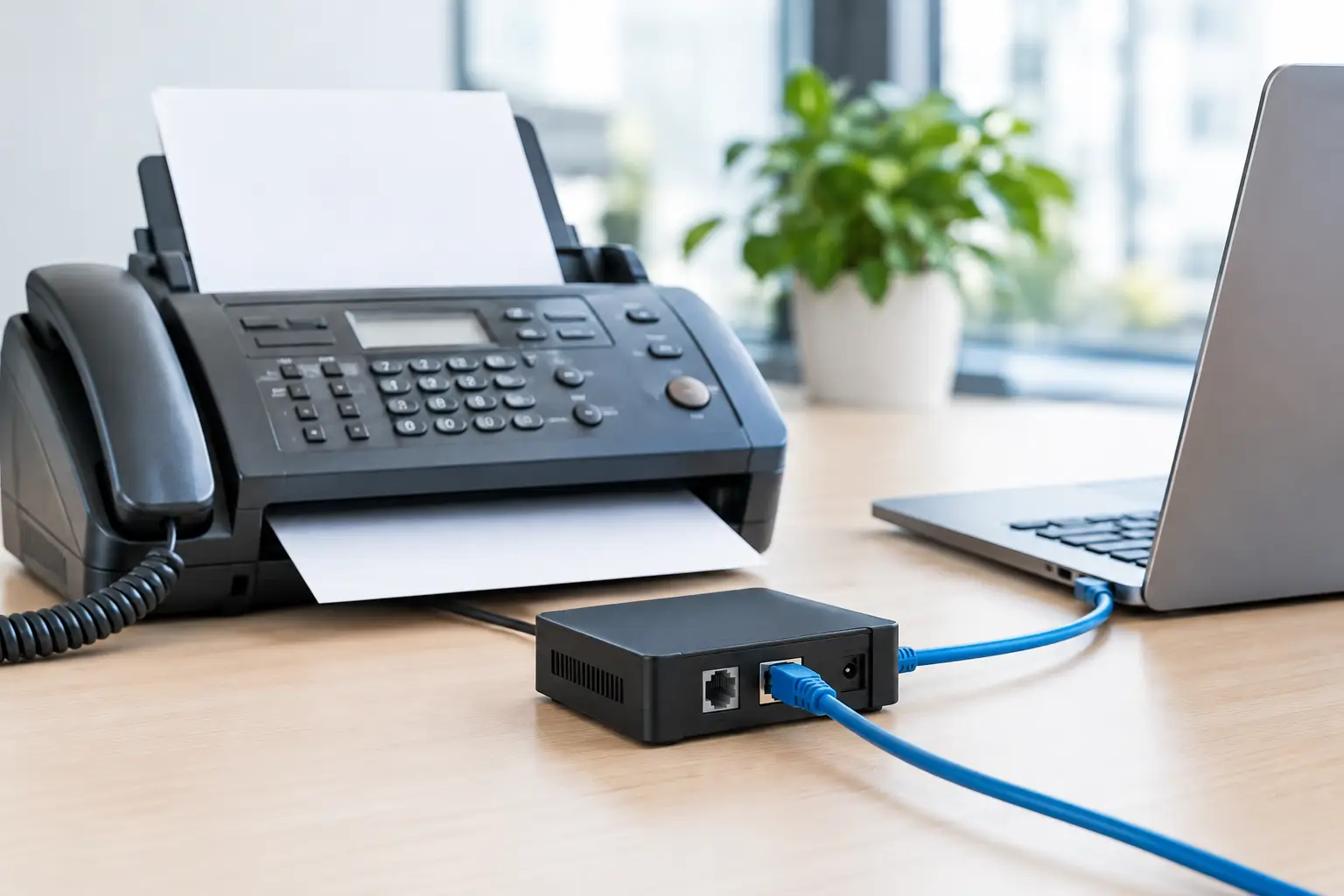
A multifunction printer can still be a business-critical fax machine. Medical practices exchange records, law firms receive signed documents, property managers work with vendors, and finance teams handle forms that have not fully moved to digital workflows. An analog fax over IP adapter (FoIP) can keep that equipment operating while your business moves its phone service to a modern IP-based platform.
The catch is that faxing was designed for traditional phone lines, not packet-based networks. A solution that handles voice calls perfectly can still produce incomplete pages, failed transmissions, or intermittent fax errors. The right adapter, network settings, and provider support matter more than simply plugging an old fax machine into a new phone system.
What an Analog Fax Over IP Adapter Does
An analog fax over IP adapter, often called an ATA or FoIP adapter, connects an analog fax machine to an IP phone service. The fax machine plugs into the adapter’s standard phone port. The adapter converts the fax signal into data that can travel over your internet connection and through your voice provider’s network.
For businesses replacing legacy telephone lines, this can be a practical way to extend the life of an existing fax-capable copier or standalone machine. It may also prevent the need to maintain a separate analog line solely for occasional fax traffic.
However, an adapter is not automatically the best answer for every fax environment. A single office that sends a few noncritical faxes each month has very different requirements from a healthcare organization transmitting time-sensitive records or a law office that depends on confirmed delivery for filings. The business impact of a failed fax should guide the decision.
Why Faxing Is More Sensitive Than Voice
Voice-over-IP services are built to manage small timing variations. If a tiny piece of a voice call arrives late, people may hear a brief distortion but the conversation continues. Fax transmissions are less forgiving because the two machines must maintain a consistent exchange of tones and timing throughout the call.
Network delay, packet loss, jitter, bandwidth congestion, or incompatible settings can interrupt that exchange. The result may be a failed transmission, an unreadable page, or a fax that appears to send but is not received properly.
The adapter and service generally use one of two approaches:
T.38 Fax Relay
T.38 is a protocol designed specifically to carry fax information over IP networks. Rather than treating fax tones like an ordinary audio call, it translates the fax data into a format better suited for packet networks. When the adapter, phone platform, and receiving side support T.38 correctly, it is usually the preferred option for reliable FoIP.
T.38 still depends on compatibility across the full call path. Not every provider enables it the same way, and some receiving destinations may not support it consistently. It improves the odds of success, but it does not remove the need for testing.
G.711 Passthrough
G.711 passthrough carries the fax tones as audio over the same codec commonly used for standard voice. It can work well in stable network conditions, particularly for low-volume use. But it is more vulnerable to packet loss and timing issues than T.38.
Some deployments use G.711 because it is the better match for a particular hosted voice provider, fax machine, or call path. This is one reason a telecom advisor should evaluate the complete environment instead of treating one setting as a universal fix.
When an FoIP Adapter Is a Good Fit
An FoIP adapter can make sense when a business has a dependable internet connection, a low-to-moderate fax volume, and an existing analog fax machine worth keeping. It is particularly useful during a phone-system transition, when replacing every multifunction printer or changing a workflow immediately would create unnecessary cost and disruption.
It can also be appropriate for offices that need a local device for inbound faxes. A front-office employee may need to receive a document at a shared copier, for example, rather than retrieve it through an email inbox or web portal.
The strongest use case is usually straightforward: one or a few fax devices, known workflow requirements, and a voice provider that explicitly supports fax service through the proposed configuration. The business should test both inbound and outbound transmissions to the organizations it contacts most often.
When Another Fax Method May Be Better
If faxing is high volume, highly regulated, or central to daily operations, a cloud fax platform or dedicated fax service may provide a better long-term path. These options remove many of the variables created by analog equipment and real-time fax tones traveling across an IP voice connection.
Cloud fax services can route documents to designated email addresses, application inboxes, or secure user portals. They may offer audit trails, user controls, document retention options, and easier routing across multiple offices. Whether those capabilities meet a business’s privacy, recordkeeping, and compliance obligations must be evaluated carefully.
A separate analog line can also remain reasonable in limited situations. If an organization has one mission-critical fax machine, poor internet reliability, or a legacy system that cannot tolerate a change, retaining that line may be less costly than dealing with repeated transmission failures. Technology decisions should be based on operational risk, not pressure to eliminate every traditional service at once.
What to Evaluate Before Buying an Adapter
The adapter itself is only one part of the solution. Before selecting hardware or signing off on a voice migration, confirm how fax traffic will be handled from end to end.
Start with the fax machine. Older machines may need a lower transmission speed, commonly 9,600 or 14,400 bps, to operate consistently over FoIP. Error correction mode can also help in some situations, though compatibility varies. A technician should document the machine model, firmware status, current settings, and whether it shares a line with any other equipment.
Next, review the internet connection and local network. Fax traffic does not require much bandwidth, but it does require a stable path. Voice and fax quality can suffer when a busy office shares a congested connection with large uploads, cloud backups, guest Wi-Fi, or video meetings. Quality of Service settings can prioritize voice traffic, but they cannot compensate for an unreliable circuit or an undersized network.
Then verify provider support. Ask whether the provider supports T.38, whether it is enabled by default, and what adapter models have been tested. Confirm whether the fax number can be ported, how long the port may take, and what happens if the current number is tied to a bundled service. A written answer is better than an assumption made during a sales conversation.
Finally, plan for testing and accountability. Send and receive multi-page faxes, documents with fine print, and transmissions to the institutions your business contacts regularly. Test during normal business activity, not only after hours when the network is idle. Keep a record of failures, including the destination number, time, page count, and error message, so the provider has useful information for troubleshooting.
Common Installation Mistakes
The most common mistake is connecting a fax machine to a phone port that was never intended to support it. A standard analog port may provide dial tone and still deliver inconsistent results under real-world fax conditions.
Another problem is sharing the adapter line with other analog devices. Alarm panels, credit card terminals, postage machines, and cordless phones can introduce conflicts or confuse troubleshooting. A dedicated port and clearly labeled cabling make support much easier.
Businesses also underestimate the role of local network equipment. Consumer-grade routers, outdated firewalls, double network address translation, and poorly configured SIP application-layer gateways can interfere with voice and fax signaling. The right answer may be a configuration change, an approved router, or a different service design rather than a new fax machine.
Building a Support Plan Around Fax Reliability
A fax issue often involves several parties: the internet provider, the voice provider, the adapter manufacturer, the copier vendor, and the receiving organization. Without clear ownership, employees can spend hours being passed from one support desk to another.
Define who will manage the service after installation. That person or partner should have the account information, device details, number-porting status, and escalation contacts available. They should also know which failures require immediate action and which can be handled through a scheduled configuration review.
For businesses in South Florida that want one point of contact across internet, voice, number porting, and ongoing service needs, Peak Telecom can help assess whether an adapter-based fax solution is appropriate or whether another approach better protects the workflow.
A dependable fax process is not about keeping old technology alive for its own sake. It is about choosing the least disruptive, most supportable way to move documents where they need to go – and knowing there is a clear path to help when a critical transmission cannot wait.